
PRODUCT GUIDE
From exported files to your next website update.
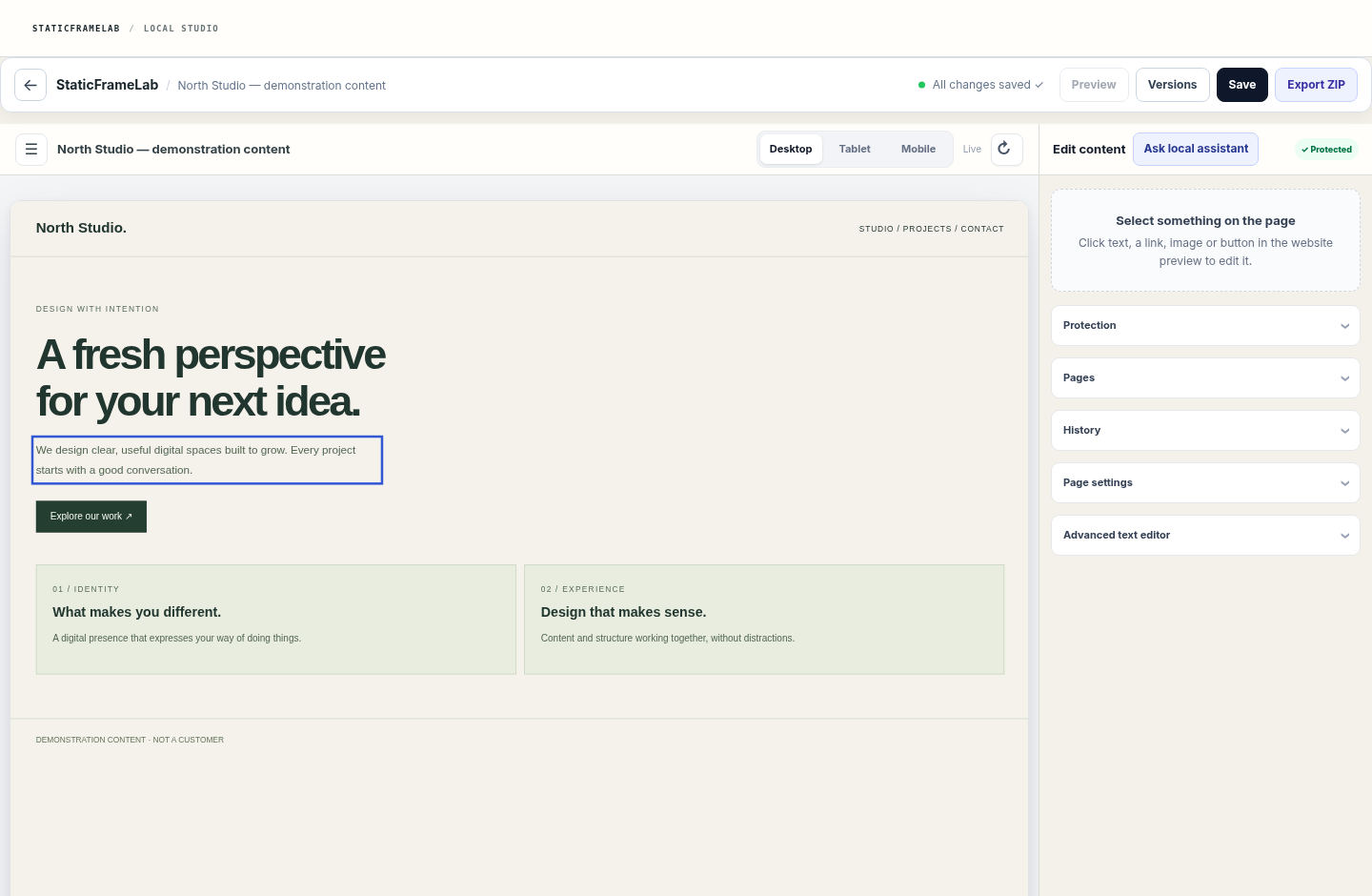
Follow the StaticFrameLab workflow: import a static website ZIP, edit supported content, review a version and export. Includes a real editor screenshot and compatibility limits.
What you need before importing
Use a ZIP containing the HTML pages, CSS, JavaScript and assets you are entitled to use. Keep a copy of the original export. A hosted-builder URL alone is not an importable website.
01. Create and verify your account
Create your account and confirm its email. Confirmation starts a 14-day trial: one project, one person and 1 GB, with no payment card or automatic paid conversion. If confirmation email is unavailable, registration stays paused.
Create an account ↗02. Import your ZIP
In your workspace, choose Import website and upload the ZIP. The system checks paths, archive limits and the page structure. Inspect the import report; do not assume every script or template is editable.
03. Select a page and make a focused edit
Open the site's editor and choose a page. Use the document outline or preview to select supported content. Change text, a link or image information; structural protection may reject incompatible edits.
04. Review, save and export
Check the preview on desktop, tablet and mobile. Save a version and inspect the result and history. Export the generated files to publish with your own hosting; StaticFrameLab does not publish them to your host automatically.
Using the local code assistant
Select a code fragment, open the local assistant and choose an explanation or replacement. Describe one change. Review the proposal before Apply to draft, then save and preview normally. The model can make mistakes and does not independently deploy changes.
Compatibility and limits
Static HTML exports are the intended input. React source projects, server-side applications, CMS databases and proprietary hosted-builder projects need a static export or manual preparation. Large or complex sites can take longer to analyze.
After cancellation or trial expiry
Editing and new imports stop when access expires. Existing sites have a 30-day read-only export window before their scheduled purge. Review the cancellation policy and export your work before that window ends.
Cancellation policy ↗